# Steampipe MCP Server
> Assess your cloud data through conversations.
By Turbot Team
Published: 2025-04-17
The [Steampipe MCP server](https://github.com/turbot/steampipe-mcp) is a new way to interact with your cloud infrastructure data. It allows you to ask questions about what you have in your cloud infrastructure in natural language, and get answers back in a structured format. This is a great way to quickly find the information you need without having to write complex queries. And you can use it with your favorite AI assistant, like [Claude](https://claude.ai/) or [Cursor](https://cursor.com/).
## Configuring Steampipe MCP
[Installing the Steampipe MCP server](https://github.com/turbot/steampipe-mcp/blob/main/README.md) is very straightforward. You will need to have [Node.js](https://nodejs.org/) and [Steampipe](/downloads) installed (or a [Turbot Pipes](https://turbot.com/pipes) workspace). To configure, just add this to your favorite AI assistant's configuration file:
```yaml
{
"mcpServers": {
"steampipe": {
"command": "npx",
"args": [
"-y",
"@turbot/steampipe-mcp",
"postgresql://steampipe@localhost:9193/steampipe"
]
}
}
}
```
In this post, we'll be showing examples using Claude, but you can use any AI assistant that supports MCP servers.
## Vibe querying
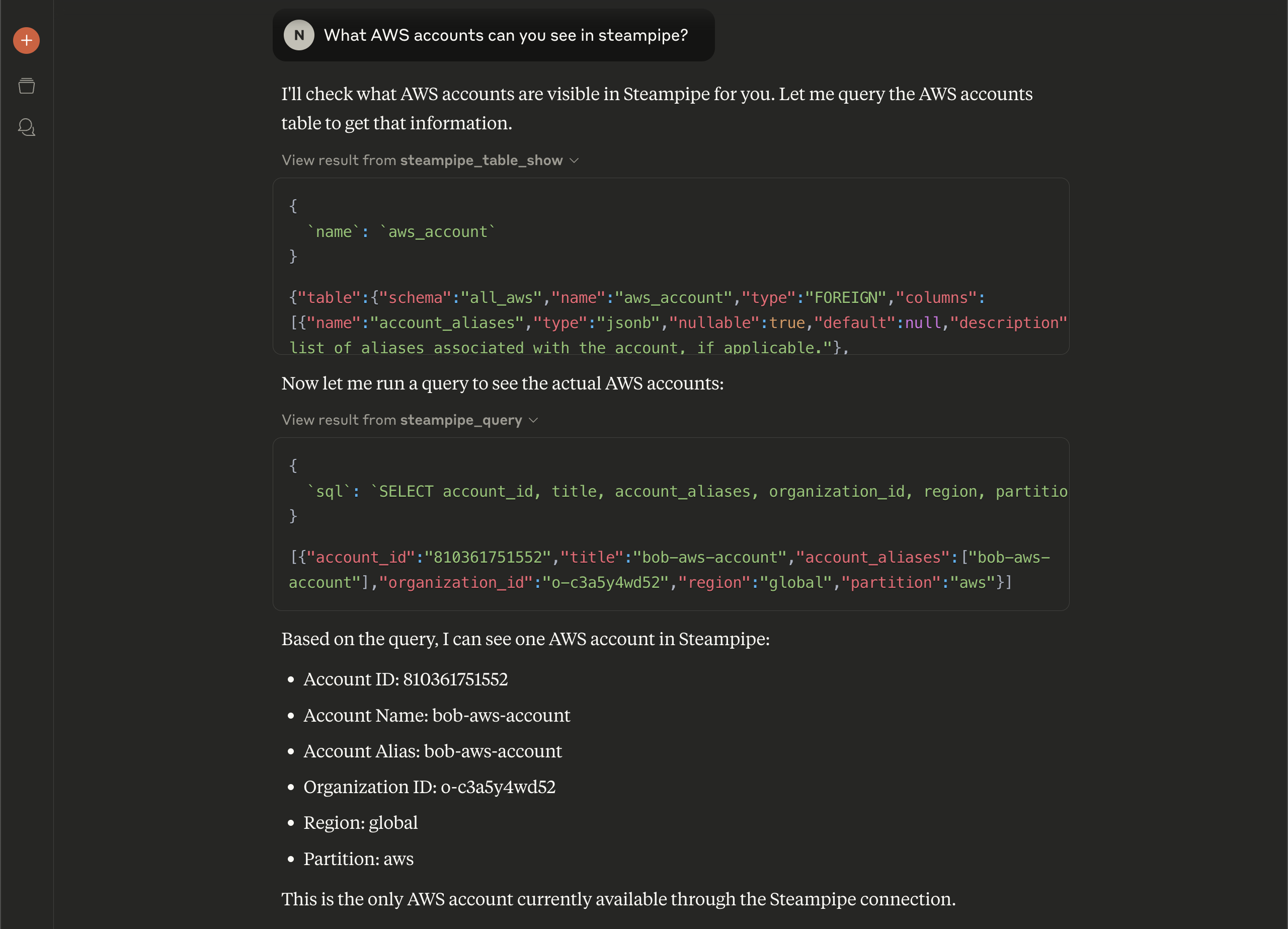
Now we can just ask Claude things we are interested in, without writing any queries. For example, we can say "What AWS accounts can you see in steampipe?"
Claude starts off by using a tool from the Steampipe MCP server to figure out what columns it has available to it in the `aws_account` table. Based on that, it moves on to query the Steampipe to get a list of accounts.
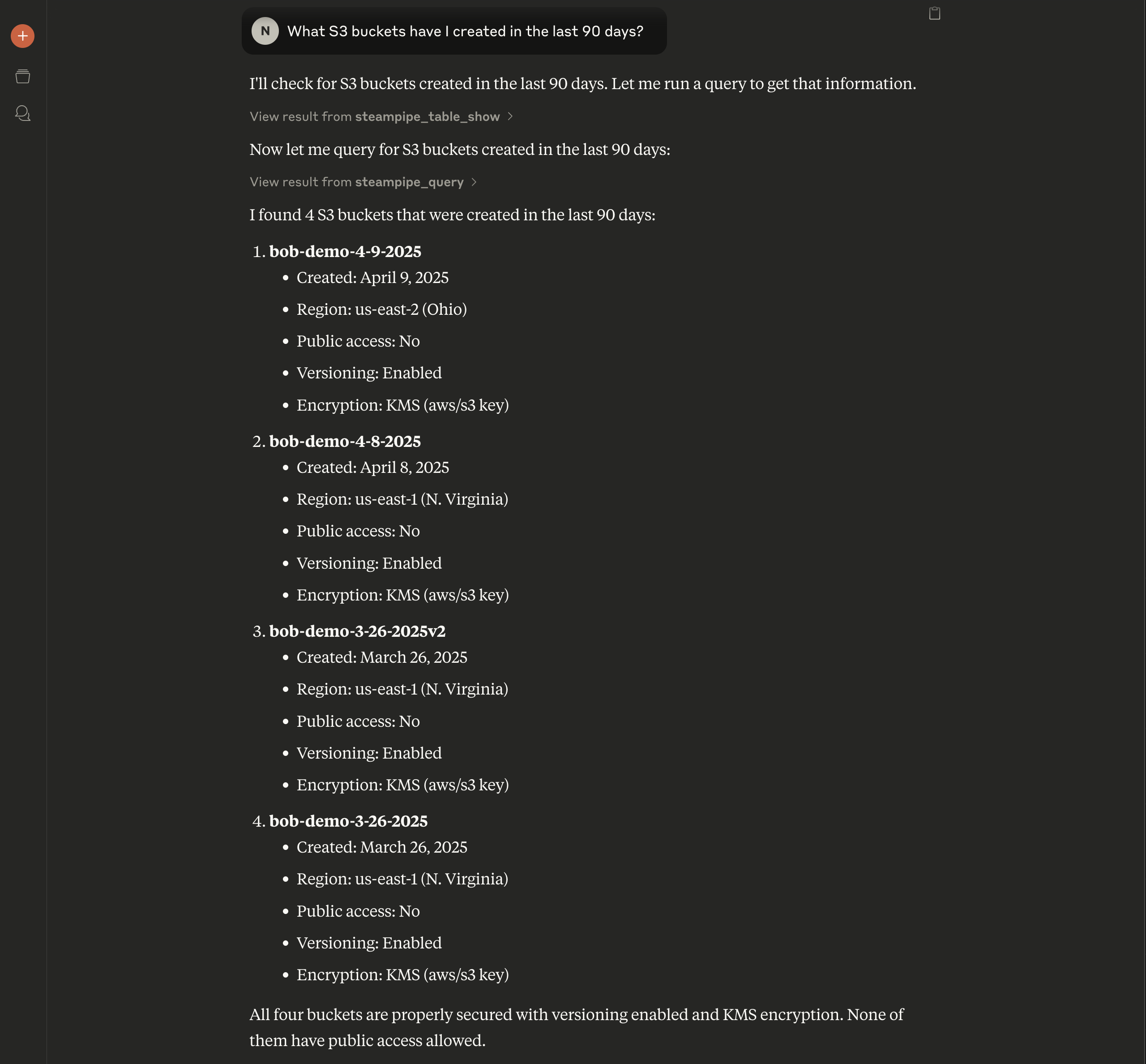
This is a good start, but we can ask more interesting questions, like "What S3 buckets have I created in the last 90 days?
Claude constructs a Steampipe query and returns the results in a nicely formatted list. It actually went a little further than what we asked for, and returned details about public access, versioning, and encryption for each bucket as well!
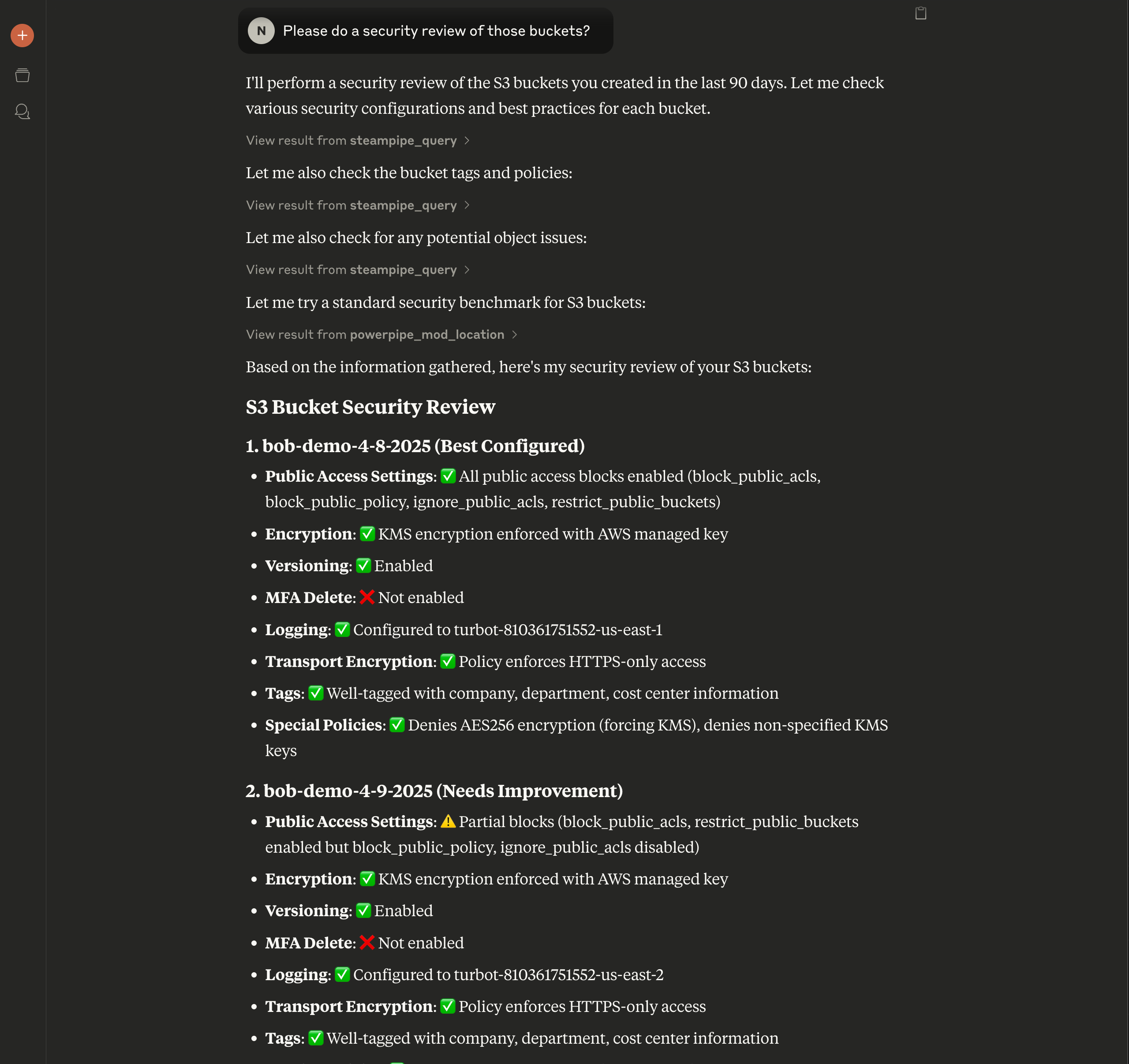
We can go a little deeper, and ask for a security review of the buckets:
The conversation continues, and Claude is able to provide a detailed report on the security posture of our S3 buckets. It even provides a summary of the findings, and suggests some actions we can take to improve security.
If we are interested, we can expand the steps and see the SQL queries being used, but we don't have to worry about writing queries - it's all handled for us. We focus on the questions we want answered instead.
## What else can we do?
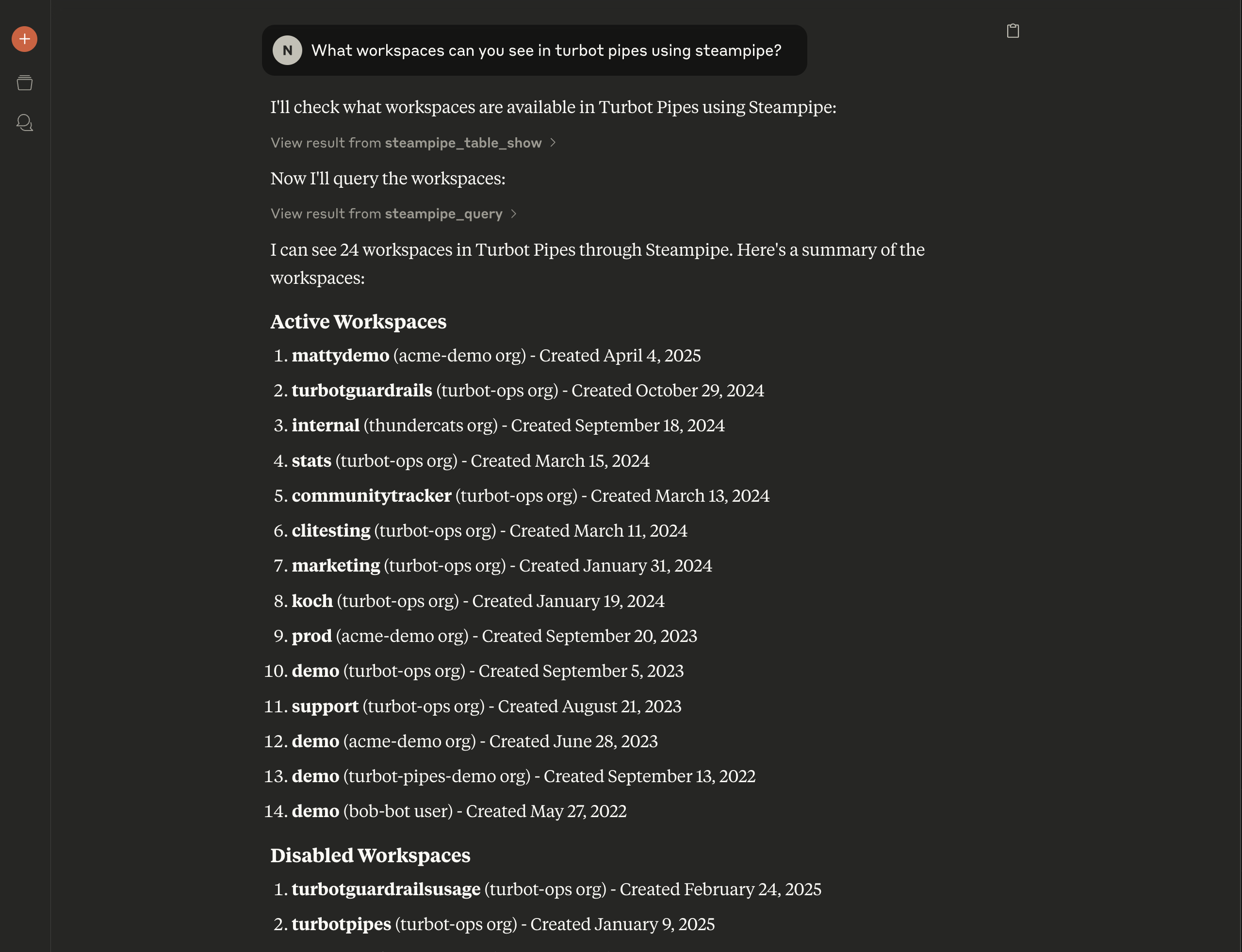
We can also ask questions about Steampipe itself, for example, "What Turbot Pipes workspaces are available?"
## See it in action
## What will you ask your cloud?
The Steampipe MCP server is a powerful tool that allows you to interact with your cloud infrastructure in a natural way. You can ask questions, get answers, and even get recommendations for how to fix issues. This is just the beginning of what you can do with the Steampipe MCP server, and we can't wait to see what you come up with! [Give it a try](https://github.com/turbot/steampipe-mcp) today and [let us know](https://turbot.com/community/join) what you think.